
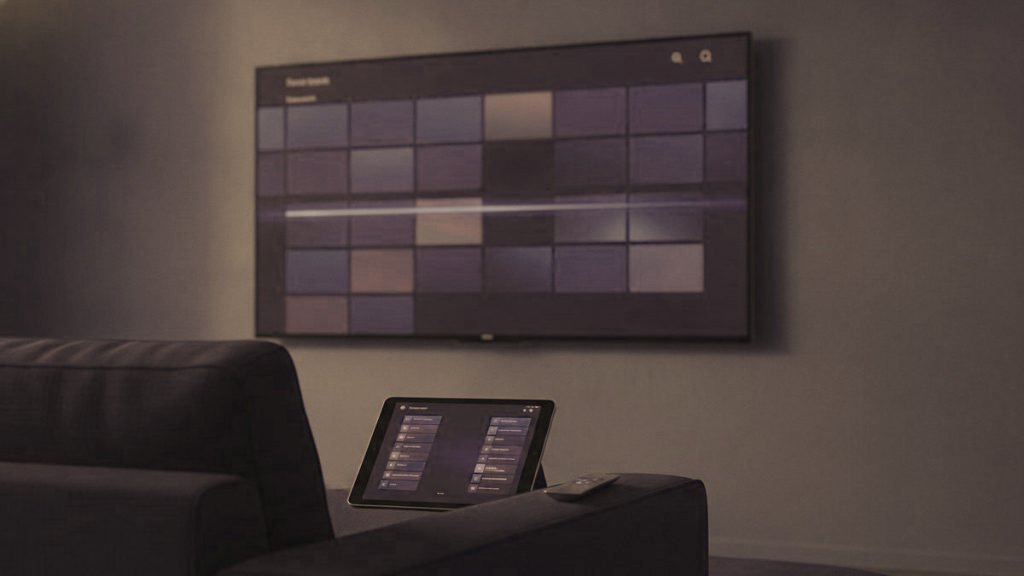
For someone who watches every night and never wants to think about the technology, the right player is the one that looks and behaves the same way each time the TV comes on. On Android hardware the answer is usually TiViMate. A Samsung or LG television with no box attached is better served by IPTV Smarters, or by Smart IPTV if the set is older. On Apple devices, IPTV Smarters Player. The reasons follow, judged from the sofa rather than from the setup screen.
Most app comparisons are written for whoever does the installing. They count features: recording, extra playlists, decoder settings. The person holding the remote after you leave meets a far shorter list, and that list decides whether your phone rings on Sunday.
What the person watching actually meets
You see the setup screens once. They see three things every evening, for as long as the TV works:
- The path from remote to picture. How many screens stand between switching on and a channel playing, which buttons get them through, and whether one wrong press strands them somewhere they do not recognize.
- The guide. Whether they can see what else is on without losing the channel they are watching, and whether the text is readable from the armchair.
- Anything that asks them a question. A login box, an activation screen, an “expired” message, an update prompt. Each one is a possible phone call to you.
Hold every player below up against those three. Features that only the helper touches, such as a second playlist or a choice of decoder, still matter, but they matter to you, and only on the day.
The players at a glance
| Player | Runs on | Cost | What the person watching gets |
|---|---|---|---|
| TiViMate | Android only: Google TV and Android TV sets, the Fire TV Stick, the Nvidia Shield and other Android boxes. No Apple, Samsung or LG build | Free; Premium roughly $9.99 yearly or a one-off lifetime purchase in the mid-$30s | A grid guide laid out like a TV page in a magazine, and very little that asks them anything |
| IPTV Smarters Pro | Samsung and LG sets, Fire TV, Android, Apple TV, iPhone and iPad, plus Windows and Mac computers | Free everywhere, with no paid tier | Plain menus that look much the same on every device |
| Smart IPTV | Samsung and LG televisions | Free for a week, then a small one-time charge for each set | A lean channel list with no sign-in screen at all |
| iPlayTV | iPhone, iPad and Apple TV | A one-time price | The most polished screens on Apple |
| MyTVOnline or the MAG portal | Formuler and MAG boxes | Included with the box | Cable-box style screens run from the box remote |
| VLC and the web player | Windows and Mac | Free | Nothing: these are for your own checks |
TiViMate: the closest thing to ordinary television
For the viewer, the strength of TiViMate is that it looks like the TV page of a magazine brought to the screen. Channels run down the left, the evening’s times run across, and whatever they were watching carries on in a small window while they browse. Changing channel is quick, and the channels your dad actually watches can be gathered into favorites, so his evening starts from a short row rather than from thousands.
Once the playlist is in, TiViMate asks the viewer almost nothing. The login is entered a single time, as an Xtream Codes playlist, and the guide data comes with that login, so there is no separate guide address to go stale. If it ever shows “playlist could not be loaded”, the usual causes are a plan that has run out or a mistyped server address, and both are yours to fix, not theirs.
For you, three facts shape the install. It runs only on Android: Android TV and Google TV have it in the Play Store, a Fire TV Stick needs it sideloaded with Downloader, and there is no version of any kind for Apple, Samsung or LG. Premium is bought on a phone through a separate app, TiViMate Companion, not on the television, and it carries a 7-day trial. And what Premium unlocks, recording, multi-view and multiple playlists, is more than one household on one login strictly needs. Buy it if the person watching wants to record something; leave it if they do not.
Before you go, set the guide to refresh every 12 hours in the TV guide settings of TiViMate, so it is never blank when they open it. The TiViMate setup guide has each screen in order.
IPTV Smarters Pro: one layout on every kind of screen
Smarters is the player to choose when the person watching uses more than one kind of device, say a Samsung in the living room and an iPad in the kitchen. It runs on Android, Fire TV, Samsung, LG, Apple devices, Windows and Mac, costs nothing on any of them, and looks broadly alike on each, so there is one layout to learn instead of two. Samsung and LG list it in their stores as IPTV Smarters; on Apple it appears as IPTV Smarters Player.
For the viewer it is a menu first and television second. They choose Live TV, then a category, then a channel. The guide does its job without being handsome, and it helps to switch on “Enable EPG on live TV” under Settings, EPG, so the program details show while a channel plays instead of sitting behind a separate screen. On a Fire TV remote, holding the select button adds a channel to favorites, which is the quickest way to give them a short list of their own.
The screen that asks them a question is “Your account is expired”. It appears when the plan reaches its end date and is not a fault, but it reads far more alarming than it is, so mention it on the day. When you renew on WhatsApp, the same credentials start working again within minutes; nothing needs reinstalling and no settings are lost.
For you: sign in with the Xtream Codes option, set the built-in player to hardware decoding under Settings, Player settings, and on a Fire TV Stick sideload it with Downloader. The IPTV Smarters Pro guide covers each platform in turn.
Smart IPTV: no sign-in, and a repair you can make from home
Smart IPTV, also written SIPTV, is a deliberately small player for Samsung and LG televisions, and it has no login screen. Instead of a login, the app displays the MAC address of the television, and the playlist is sent to that address from another device. You do it on your phone: at siptv.app/mylist, enter the MAC with its colons, add the M3U link from your WhatsApp chat, leave the “Keep online” box ticked, then send. When Smart IPTV is closed and reopened on the TV, the channel list and its guide load.
For the viewer that makes it very simple: nothing to sign in to, and the app stays quick on older sets that labor under heavier players. It holds one playlist at a time, which is all a single household needs.
Two screens can ask them a question later. Once the free week is over, the app asks for a small one-time payment to unlock that particular set. The money goes to the people who make Smart IPTV, through siptv.app/activation, and none of it to SWIVTV; settle it from your phone before the week runs out and they never meet that screen. The other is “playlist expired”, which appears when the app is reinstalled or the TV is factory-reset and the stored list is wiped. That repair does not need you in the room. Upload the M3U link again at siptv.app/mylist against the same MAC, from your own phone, and ask them to restart the app. Keep a photo of the MAC in your chat for exactly this; a MAC address is not a password, so it is fine to keep.
A similar app, SSIPTV, is made by another developer and accepts a playlist link typed on the TV itself. SWIVTV works in both; pick whichever the store on their TV actually stocks. The steps are in the Smart IPTV guide.
IBO Player: find out how it reloads before paying
IBO Player is sold on the same terms as Smart IPTV: a trial, then a small fee for each television. Whether it suits a parent’s set comes down to the question Smart IPTV raises. If the playlist ever has to be loaded again, can you do that from your own phone, or does it mean a drive over? Check how it takes a playlist before paying, and choose on that answer rather than on screenshots.
On Apple devices: fewer players, one sensible default
Apple allows no sideloading, so every player comes from the App Store and the choice is narrower. IPTV Smarters Player is free on iPhone, iPad and Apple TV and is the sensible default. iPlayTV has a one-time price and more polished screens, worth it if an Apple TV is the main set. GSE Smart IPTV earns a place as a spare because it can switch between player engines, which now and then gets a stubborn channel playing when other players give up.
TiViMate has no Apple version at all. Apps with close names, such as TiviMato or Tivimax, are unrelated, whatever their icons suggest. For someone who lives on their iPhone there is another route: start the channel on the phone and send it to an Apple TV or an AirPlay-capable television with AirPlay. The Apple TV and iPhone guide has the details.
Players that come with the box
On a MAG or Formuler box the player is part of the hardware and included in its price. A MAG has no app login at all: it runs from a portal address tied to the MAC of the box, which SWIVTV switches on after you send that MAC on WhatsApp. Formuler uses MyTVOnline, where you add the portal or an Xtream Codes login, and it can also run Android players such as TiViMate. For the person watching, both feel like a cable box, with colored buttons on the remote for favorites and the guide. The box guide weighs them against a stick.
Players for your own checks, not for them
VLC and the web player are useful to you and to nobody else. Before the visit, paste the M3U link into VLC on your laptop (Ctrl+N on Windows, Cmd+N on a Mac) or open the web player address from the activation message in Chrome or Edge. If a channel plays, the login is sound, and anything that goes wrong at their house is about the TV or the Wi-Fi rather than the account. XCIPTV is another free player you may come across. None of these belongs on the television of someone who wants to switch on and watch.
Leaving the player finished
Whichever app you choose, the last twenty minutes of the visit decide how the first evening alone goes. Work through this list before you hand back the remote:
- Make it the first thing they see. On a Fire TV Stick a sideloaded app lands under Your Apps and Channels, not on the main row, so move it forward. If the player offers to open by itself when the device starts, turn that on.
- Cut the list down. Hide the categories they will never open, and put their own channels into favorites in the order they think of them.
- Fill the guide. Let the program data finish loading and check it covers the rest of the day, not only the show that is on.
- Set the decoder. Hardware decoding in the player settings, so the picture is smooth from the first evening.
- Try a cold start. Switch the TV and the device off at the wall, then on again, and watch without touching anything. If it does not land somewhere familiar, fix that now.
- Show them the way back. Which button returns to the channel list, and which one escapes a menu they opened by accident.
- Leave the “if it stops” card. Three lines: restart the device, check the router, then message SWIVTV on WhatsApp at +212 663 813 479. Support will talk to whoever is watching. The password never goes on the card.
Which player to leave on which TV
| If the screen is | Leave this player | Walkthrough |
|---|---|---|
| A Fire TV Stick | TiViMate, or IPTV Smarters Pro to begin with | Fire TV Stick |
| Android TV, Google TV or an Nvidia Shield | TiViMate from the Play Store | Android TV |
| A Samsung set with no box | IPTV Smarters, or Smart IPTV on an older model | Samsung |
| An LG set with no box | IPTV Smarters, or Smart IPTV | LG |
| Apple TV, iPhone or iPad | IPTV Smarters Player; iPlayTV if it is the main screen | Apple |
| A Formuler box | MyTVOnline, or TiViMate | MAG and Formuler |
| A MAG box | The built-in portal; nothing to install | MAG and Formuler |
| A Roku | IPTV Smarters Player where the region lists it; a Fire TV Stick is more dependable | Roku |
Every one of these takes the same SWIVTV login, because accounts are issued as standard Xtream Codes logins with an M3U link alongside. The 24-hour free trial lets you try the player on their actual television before paying for anything, and the cost guide sets out the plans, from $15 for a month, along with how to pay for one on a parent’s TV.
Short answers to follow-up questions
Which IPTV app is easiest for someone who just wants to watch?
Whichever runs on the TV they already use. On Android hardware, TiViMate, because its guide reads like a TV page and it rarely asks the viewer anything once set up. On a Samsung or LG set with no box, IPTV Smarters, which is free, or Smart IPTV on an older model. On Apple devices, IPTV Smarters Player.
Is TiViMate available on Samsung, LG or Apple TV?
No. It is an Android-only player, so it installs on Google TV and Android TV sets, the Fire TV Stick and Android boxes such as the Nvidia Shield, and nowhere else. Apps with similar names in the Apple or TV stores, such as TiviMato or Tivimax, are unrelated. On those devices use IPTV Smarters, or add a Fire TV Stick if TiViMate matters to you.
Do IPTV player apps cost money?
Mostly not. IPTV Smarters Pro, XCIPTV and VLC are free, and TiViMate has a free tier. TiViMate Premium is roughly $9.99 a year. Smart IPTV and IBO Player each charge a small fee per television once their trial is over. None of these fees go to SWIVTV, and no player comes with channels of its own.
Why does the app say the account has expired?
Because the plan has reached its end date; the app itself is fine. Renew on WhatsApp and the same username and password work again within minutes. Nothing has to be reinstalled, and favorites and settings stay as they were. Plans never renew automatically, so keep the date in your own calendar.
Will the person watching ever have to log in again?
Not in normal use. The Xtream Codes login is typed once, during setup, and stays in the app. The exception is a reinstall or a factory reset: Smart IPTV then loses its playlist, which you can upload again from your own phone against the MAC address of the TV at siptv.app/mylist.
Set it up once, then hand over the remote
Order from your own phone and the login reaches that WhatsApp chat in under 15 minutes. Renewing is always your decision, and a refund can be claimed within 7 days if it will not run on their screen.
Worth reading next
Helping With IPTV From a Distance: Calls, Photos and Renewals
Most IPTV problems at a parent's house can be solved from your own sofa. Here is how to describe a screen over…
September 19, 2026Setting Up IPTV for Elderly Parents So It Works Without You
The best setup for an older parent has the fewest decisions between switching on and a familiar channel. Here is how to…
September 19, 2026IPTV Parental Controls for a TV You Set Up for Someone Else
Child-safe IPTV takes two layers: a PIN inside the player that locks the groups you choose, and a lock on the device…