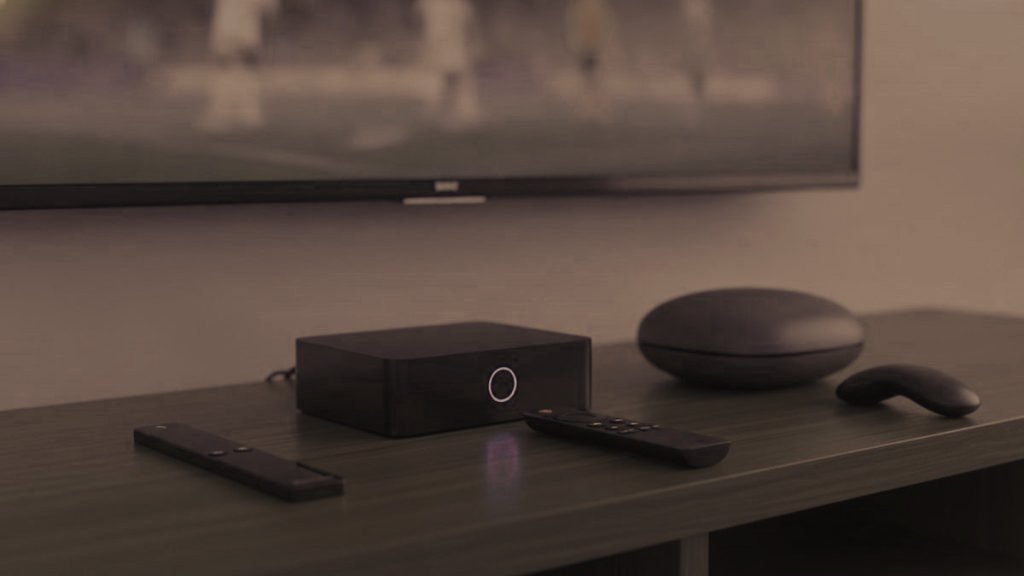
Choose the box for whoever holds its remote every evening, not for whoever plugs it in. If they are comfortable with their TV’s own remote and the set is a Samsung or LG from 2016 or later, the best box may be no box, because the TV runs a player from its own store. If they move through channels with up and down, a MAG or Formuler box behaves most like the cable box they are used to. For nearly everyone in between there is the Fire TV Stick 4K Max, whose small remote plenty of people have already held.
Spec sheets are written for the person doing the install: processors, memory, ports. The person watching never sees any of it. What they meet is a remote in the hand, the first screen after switching on, and the number of presses between that screen and a channel. Every device below is judged on those three.
Four questions about the viewer, before any about the box
- Which remote do they reach for now? If it is the one that came with the TV, a second remote is a second thing to lose and a second set of buttons to muddle.
- Do they change channel by number, or pick from a list? People who press up and down to move through the channels are happiest on hardware that works the same way.
- Is their phone already where they watch things? Someone who spends the day on WhatsApp and video calls may take happily to a tablet for some viewing.
- How far is the router from the television? Close enough for a cable changes which devices make sense, and matters most for 4K.
No box at all: the TV’s own app
Samsung sets, which run Tizen, and LG sets, which run webOS, take a player from their own app stores from the 2016 models onward. IPTV Smarters is free; Smart IPTV asks a small one-time fee per television after a week’s trial and stays light on older models. For the viewer this is the simplest arrangement there is: one remote, no input to switch, and on a Samsung the channel list button moves through the groups quickly once the player is open.
The limits are worth knowing before you decide. TiViMate does not exist for Samsung or LG, so if the person watching would benefit from its grid guide, they need a stick. Smart IPTV loses its playlist if the app is reinstalled or the TV is reset, though you can reload it from your own phone. The range of apps in the store varies by country. And for 4K the television must itself be a 4K set, and newer is better: Samsung, LG and Sony 4K models from 2019 onward handle it. The Samsung and LG guides take you through the install.
Fire TV Stick 4K Max: a remote most people already know
A Fire TV Stick costs $30 to $50 and plugs into a spare HDMI port. Its remote is small, with few buttons, and a lot of viewers have held one before. That familiarity counts for plenty on the first evening alone.
The catch for the viewer is the home screen. A Fire TV opens on rows of apps and suggestions, not on a channel, so the player has to be picked out each time. You can shorten that. A sideloaded app gets filed under Your Apps and Channels, away from the main row, so move it to the front, and check whether the TV switches to the input of the stick by itself when the stick wakes. Many televisions can do this; where theirs does, the Fire TV remote is the only one they need.
For you, the install means allowing apps from unknown sources and then using Downloader, the orange app by AFTVnews, to sideload TiViMate or IPTV Smarters Pro, since the better players are missing from Amazon’s store. Choose the 4K Max over the Lite: the Lite stops at 1080p, so a 4K channel would never look like one. If the router is close, a $10 to $15 Ethernet adapter for the stick is worth having, since a wired link is steadier than Wi-Fi for live channels and 4K in particular prefers it. The Fire TV Stick guide names every menu.
MAG and Formuler: boxes that behave like a cable box
These two were built for live television and nothing else, and the person watching can tell. Once running, they stay in television: channel up and channel down behave the way they always did, and the remote has keys of its own for the channel list, the guide and favorites, with the colored keys doing the jobs a cable remote did. Both sell for about $120 to $180, a real premium over a stick, and the money is best spent on the main television that someone uses every day.
MAG
A MAG, made by Infomir, has no app and no login for the viewer to meet. It runs from a portal address bound to the MAC address of the box, which starts 00:1A:79 and is printed on the label underneath. You send that MAC to SWIVTV on WhatsApp and wait for the confirmation, then enter the portal address under Settings, System settings, Servers, Portals, and restart the box; it will not load before that restart. The setup guide covers the MAG 524 and MAG 540 among others. Nothing ever needs sideloading or updating, which suits a home where nobody would do either. TiViMate does not run on a MAG; the portal is the player.
Formuler Z11
The Formuler Z11 runs MyTVOnline, where you add the SWIVTV portal or an Xtream Codes login, and because it is Android underneath it can also run TiViMate. The Z11 Pro Max carries 4 GB of RAM and gigabit Ethernet, and it is one of the boxes that plays 4K. For the viewer it gives the cable-box feel with a wider choice of players behind it; for you it takes slightly more setting up than a MAG, simply because there is more to choose. The older Z8 and Z10 follow the same steps.
Photograph the label under either box during the visit and keep the picture in your chat. If the portal ever shows “STB blocked” or a blank screen, sending that photo to support settles it faster than reading characters out over the phone. The MAG and Formuler guide has the full sequence.
Nvidia Shield and other Android TV boxes: quick, but a launcher first
The Nvidia Shield is the quickest device here, and 4K HDR gives it no trouble. It costs $150 to $200, more than a year of SWIVTV on one stream, and for most viewers it is more machine than they will ever notice. TiViMate installs from the Play Store with no sideloading. What the viewer meets is Android TV: a home screen of app rows first, then the player. With the TiViMate guide once inside, that suits someone comfortable with a streaming remote, and it is more than a person who only wants channel up and down needs.
Chromecast with Google TV, at $40 to $50, gives the same Play Store installs for far less and is the tidy budget choice. Generic Android boxes, usually $40 to $90, vary enormously. When buying one, look for 2 GB of RAM at the very least and 4 GB by preference, certified Android TV software rather than an Android made for phones, an Ethernet port and a brand you recognize, and pay no attention to claims about the number of cores. Boxes running a phone build hide TV apps in the Play Store, which pushes you back to sideloading. The Android TV guide covers all of these.
Apple TV 4K: for a home that already runs on Apple
If the household is Apple through and through, an Apple TV 4K keeps everything in one family of devices. IPTV Smarters Player is free in the tvOS App Store, and iPlayTV has a one-time price and more polished screens. TiViMate is not available on Apple in any form. For someone who does most things on an iPhone, AirPlay adds a simple option: start a channel on the phone and send it to the television. The Apple guide has the steps.
A phone or tablet: for someone who lives on WhatsApp
Not every viewer wants the television at all. Someone who already spends the evening with a tablet, and messages the family on WhatsApp all day, may be best served by IPTV Smarters on that tablet. The login works there alongside the TV, since installs are unlimited and the stream count of the plan only limits how many play at the same moment. Help is also one app away: the device playing the channel is the one holding the WhatsApp chat with support.
Roku: good at its own apps, awkward for this
Roku allows no sideloading, and most IPTV players are missing from its store. IPTV Smarters Player turns up in some regions, but Roku removes these listings from time to time, and the fallback, mirroring from a phone, ties the phone up for the whole evening. For a viewer who will not troubleshoot, that is a shaky base. If a Roku is already on the TV, the cleaner answer is a Fire TV Stick in a spare HDMI port, left on the input the TV starts on. The Roku guide covers both routes if the Roku has to stay.
The devices side by side
| Device | Usual price | Player on it | In the hand | Suits someone who |
|---|---|---|---|---|
| The TV’s own app (Samsung or LG, 2016 on) | Nothing extra | IPTV Smarters or Smart IPTV | The TV remote they already use | Dislikes a second remote |
| Fire TV Stick 4K Max | $30 to $50 | TiViMate or Smarters, sideloaded | Small streaming remote, few buttons | Is fine with a home screen of apps |
| MAG box | $120 to $180 | The built-in portal | Cable-style remote with channel keys | Changes channel with up and down |
| Formuler Z11 | $120 to $180 | MyTVOnline or TiViMate | Cable-style remote with guide and favorites keys | Watches a main TV every day |
| Nvidia Shield | $150 to $200 | TiViMate from the Play Store | Streaming remote, Android TV home screen | Wants speed and 4K HDR |
| Chromecast with Google TV | $40 to $50 | TiViMate from the Play Store | Streaming remote, Google TV home screen | Wants a tidy setup on a budget |
| Apple TV 4K | — | IPTV Smarters Player or iPlayTV | The Apple remote | Already lives with Apple devices |
| Roku | $30 to $100 | IPTV Smarters Player, where listed | The Roku remote | Nobody, for this purpose |
Check the room before you buy
- A spare HDMI port and a power socket. A stick or box needs both within reach of the TV.
- The distance to the router. About 10 Mbps carries HD, a steady 25 Mbps carries one 4K stream, and 50 Mbps is comfortable. MAG and Formuler boxes have an Ethernet port built in; a Fire TV Stick needs the adapter.
- The age of the television. A Samsung or LG from 2016 onward can skip the box; an older set needs one.
- The size of the screen. 4K earns its keep on a 55-inch set or larger. On a small bedroom TV, HD looks the same and asks less of the connection.
- Boxes sold “fully loaded”. Skip them. A box that arrives with channels and a lifetime subscription preloaded tends to stop working, often runs altered apps, and malware has turned up on some. A plain device from an ordinary shop, with a player you installed yourself, is far easier to look after from a distance.
Leaving it set up like a television
- Start on the right input. Put the device on the input the TV powers up on, or use automatic input switching if the TV has it, so that switching on leads straight to the stick or box.
- Put the player first. On a Fire TV or an Android TV device, move the player to the front of the home screen. On a Formuler, settle on MyTVOnline or TiViMate and leave only that one where they will see it.
- Load their favorites. Add the channels they actually watch, and show them the button that opens that list.
- Watch a cold start. Pull the power, plug it back in, and follow the whole start-up without touching the remote. What appears then is what they will see every evening.
- Keep the details where they belong. Photograph the MAC label on a MAG or Formuler and keep the picture in your chat, next to the login that arrived there.
- Prop up the “if it stops” card. Restart the box, check the router, then message SWIVTV on WhatsApp at +212 663 813 479; support will talk to them directly. The password stays off the card.
When the box is in another town
Most things that go wrong later can be handled without a drive. The person watching can restart the device, by unplugging it for a moment and plugging it back in, and can check that the router looks the way it normally does. You can renew the plan from your phone, reload a Smart IPTV playlist, or send support the photo of a MAG label. Support will also talk the viewer through a screen directly on WhatsApp if they would rather message themselves than wait for you.
What usually does need a visit is new hardware: a replacement television, or a stick that has been reset to factory settings and needs its player sideloaded again. Plan those for a day when you are there anyway.
All of these devices take the same SWIVTV login, issued as a standard Xtream Codes account. Try it on their actual TV with the 24-hour free trial before buying any hardware, and see the plans when you are ready. The player comparison goes deeper into the apps, and the cost guide covers paying for a plan on someone else’s TV.
Short answers to follow-up questions
What is the easiest IPTV box for someone who is not into technology?
For someone who changes channel with up and down, a MAG or Formuler box, which behaves most like a cable box and never shows the viewer a login. For someone happy with a streaming-style remote, a Fire TV Stick 4K Max. If their Samsung or LG TV is from 2016 or later, try its own app first; no box may be needed.
Do I need a box for IPTV on a smart TV?
Often not. Samsung and LG sets from 2016 onward run IPTV Smarters or Smart IPTV from their own stores, so the TV remote is the only one in the room. A box earns its place on an older set, for anyone set on TiViMate, or for a viewer who prefers cable-box buttons.
How much does an IPTV box cost?
A Fire TV Stick sells for $30 to $50, a Chromecast with Google TV for $40 to $50, a MAG or Formuler box for $120 to $180 and an Nvidia Shield for $150 to $200. The SWIVTV plan is separate, from $15 for a month or $69 for a year, and it runs on all of them.
Is a MAG box easier than a Firestick?
For many viewers, yes. A MAG loads its channel list with a built-in guide, uses a remote with channel and colored buttons, and has no app or login to manage, because the portal is tied to the MAC address of the box. A Fire TV Stick costs less and does more, but it opens on a home screen of app tiles.
Is a box sold with channels already loaded worth buying?
No. A box that arrives with channels and a lifetime subscription already on it is a gamble: such boxes tend to stop working, many run modified apps and some have carried malware. A plain device from an ordinary shop, with a player you installed yourself, is much easier to support from a distance.
Can one SWIVTV login run on the box and a phone?
Yes, within one household. Installs are unlimited and the stream count of the plan sets how many play at once, so on a one-stream plan the box and your phone can both be signed in while only one plays. For a parent in another home, buy them a plan of their own.
Set it up once, then hand over the remote
Order from your own phone and the login reaches that WhatsApp chat in under 15 minutes. Renewing is always your decision, and a refund can be claimed within 7 days if it will not run on their screen.
Worth reading next
Helping With IPTV From a Distance: Calls, Photos and Renewals
Most IPTV problems at a parent's house can be solved from your own sofa. Here is how to describe a screen over…
September 19, 2026Setting Up IPTV for Elderly Parents So It Works Without You
The best setup for an older parent has the fewest decisions between switching on and a familiar channel. Here is how to…
September 19, 2026IPTV Parental Controls for a TV You Set Up for Someone Else
Child-safe IPTV takes two layers: a PIN inside the player that locks the groups you choose, and a lock on the device…